
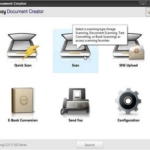
Easy Document Creator (EDC) is an application to help users compile and share large documents or other scanned or faxed information digitally.
Software details
V2.02.59
Multilanguage
Freeware
Windows
7961
Windows 10 / Windows 10 x64 / Windows 7 / Windows 7 x64 / Windows 8 / Windows 8 x64 / Windows 8.1 / Windows 8.1 x64 / Windows Vista / Windows Vista64 / Windows XP / Windows XP x64
Product description
Samsung Easy Document Creator
What is Samsung Samsung Easy Document Creator?
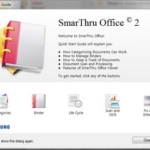
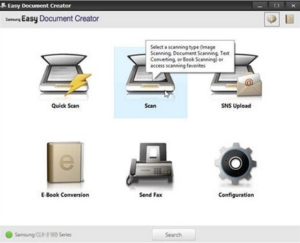 Samsung Easy Document Creator is an application to help users to scan, collect, and store documents in various formats (including .epub). These documents can be shared through social networking sites or fax.
Whether you’re a student who organizes research from a library or home-based parent who shares the scanned image of a birthday party last year, Easy Document Creator will provide you with the tools you need.
Depending on your printer and OS model, this app provides features including:
- Image Scanning: use for a single scan, or multiple images.
- Document Scanning: use to scan documents with text, or text and images.
- Text Conversion (Windows Only): use to scan documents that need to be stored in an editable text format.
- Scan Book: use to scan books with a flatbed scanner.
- SNS Upload: use to quickly and easily upload scanned images, or existing images, to various social networking sites (SNS).
- E-Book Conversion: use to scan multiple documents together as one e-book, or to merge files into e-books.
- Plug-in: scans and sends faxes directly from Microsoft Office programs.
NOTE:
- Samsung Easy Document Creator is only available for Windows and Mac OS users.
- Windows XP Service Pack 3 or higher, and Internet Explorer 6.0 or higher, is the minimum requirement to use Samsung Easy Document Creator.
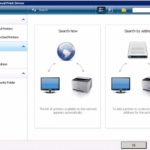
- Samsung Easy Document Creator is installed automatically when printer software is installed.
10 comments
Leave a Reply
You may also like these softwares
This Driver supports for Samsung SCX-3400 Series Print Driver for Mac Operating Systems.
Update : 01-24-2019 |
Category : Samsung SCX
System : Mac OS |
Language : Multilanguage |
Downloads : 415
This Print Driver supports the Samsung SCX-5835, 5935NX series printer for Mac Operating Systems.
Update : 09-01-2017 |
Category : Samsung SCX
System : Mac OS |
Language : Multilanguage |
Downloads : 145
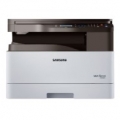
This scan driver supports the Samsung SL-K2200 Series scan Driver for Windows Operating Systems.
Update : 05-11-2019 |
Category : Samsung SL
System : Windows |
Language : Multilanguage |
Downloads : 325





file not found, please check it
Thank you for contacting us. We have fixed the broken link, Now you can try to download again. best regards Johnny
Where can I find a version of Easy Document Creator that is Mac compatible? Mine has stopped working (also Easy Printer Manager)
Thank you for visiting my blog, Please visit Samsung Easy Document Creator to download.
I can´t download the file I need. I am trying for 40 minutes, I have downloaded a lot of files, and the scanner is still not working.
The download link is still working. you can download the file by clicking the download button.
When will the software be updated to work with windows 11 last update was July 2021
Unfortunately, Samsung Easy Document app developer has not updated for Windows 11
i was trying many times but as soon as i try to open the application it gives me this message: “the application has failed to start because its side-by-side configuration is incorrect please see the application event log or use the command line sxstrace.exe tool for more detail” please reply back as soon as possible, thank you
Have you checked whether this software supports your device or not?